Styles
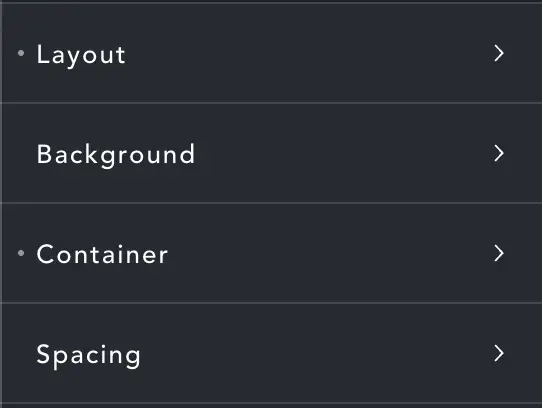
These are the same as standard Breakdance styles. Baby Tilt is essentially a DIV. Change layout, padding etc. as you would for any DIV element.
Effects
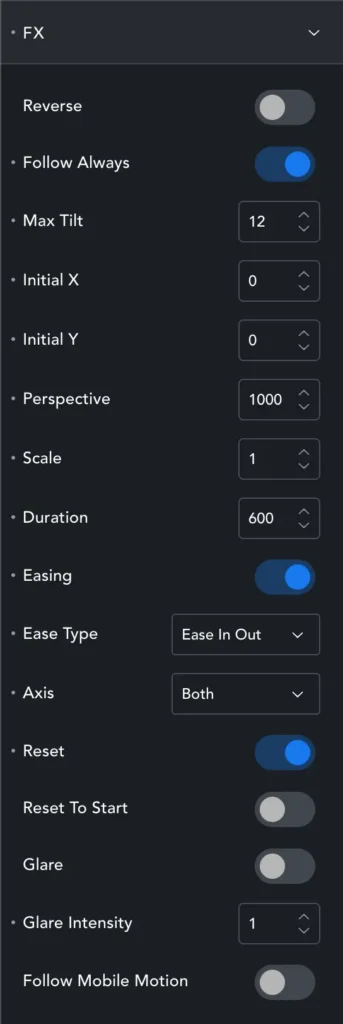
Reverse – Normally the elemnt tilts towards the mouse, this makes it tilt away.
Follow Always – will tilt towards/away from the mouse no matter where the mouse is. Disabled, the ilt only happens when the mouse hovers over the element.
Max Tilt – the maximum tilt angle of the element
Initial X – Baby Tilt can start at an angle on page load.
Initial Y – These settings control that starting angle.
Perspective – Controls how ‘distorted’ or stretched the element can become.
Scale – Changes the size on hover/interaction.
Duration – How long it takes for the element to reach ‘full tilt’, basically this is a simple linear ease.
Easing/Type – Change this linear easing to one of your choosing.
Axis – Select to tilt only X, only Y or Both.
Reset – When ON Baby Tilt returns to its starting position after the mouse leaves. When OFF the element will remain at whatever angle it reached.
Reset To Start – If we start at an angle (Initial X/Y) we can return to that angle (ON) or return to ‘flat’ (OFF).
Glare/Intensity – Is meant to add a glare, but honestly I’m not sure it ever shows properly so don’t be surprised if it doesn’t have an apparent effect. Intensity should increase/decrease this glare.
Follow Mobile Motion – Will tilt the element if the users tilts their phone (ON) or not (OFF).