Smithy Forms allows you to add a rich-text field for forms. Combined with Post Creation it means users can write proper posts with headings and formatting.
Adding a Rich Text Field
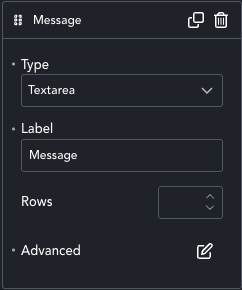
Rich Text replaces the <textarea> type of field, as we see in the image.
Give the field an ID, as we do with all fields, so that we can select it in the next step.
Otherwise, the field is just a text area and doesn’t need special settings.
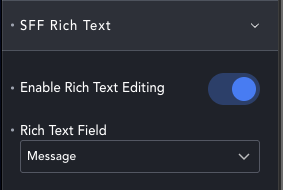
On the left panel you’ll see the SFF Rich Text option.
Enable it, and then select the <textarea> field from the dropdown.
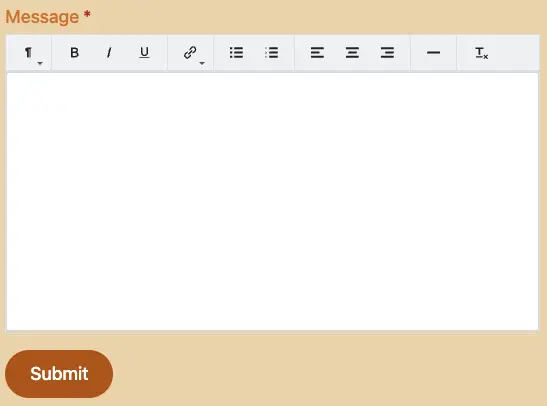
Front-end your field will be replaced with a simple text editor that allows basic HTML like bold, italic ad headings.
Submissions are sanitised to prevent malicious input like code. However, you should still be sensible about where you save rich text.
For meta, excerpts and other items it will be stripped back to plain text anyway.
The main purpose is for forms to posts or forms to PDF.