Smithy Factory Forms & PDF extends Breakdance’s native form builder with PDF generation, file attachments and secure delivery, CPT create/edit actions, signature capture, and dynamic select-dropdown population — plus a handful of small extensions for Breakdance’s built-in Login, Register and Reset Password forms (password strength meter, rich text toggle).
Requirements
WordPress 6.4 or later, PHP 8.2 or later, and Breakdance itself — this is a hard requirement, not a soft one. If Breakdance isn’t active, the plugin refuses to load anything else and just shows an admin notice; nothing fatals, but none of its form actions, elements or extensions register until Breakdance is active.
No ACF dependency here — unlike Smithy Icons, every feature in this plugin works purely against Breakdance’s own form builder.
Install & activate
Install and activate the plugin the normal way — upload the zip via Plugins → Add Plugin → Upload Plugin, or drop the folder into wp-content/plugins and activate from the Plugins screen. There’s no setup wizard; once it’s active, a “Smithy Factory” menu item appears in the sidebar (shared with Smithy Factory Core, if that’s installed) with License, Forms & PDF and PDF Content underneath.

First run

The Forms & PDF screen is deliberately minimal on first load: one toggle, Enable mPDF functionality, and nothing else. It’s off by default.
This is worth understanding before you go looking for a bigger settings screen: PDF generation is the one feature in this plugin with real overhead — it bundles mPDF, a PHP PDF-rendering library, and needs its own font files downloaded before it can render anything — so it’s opt-in. Everything else the plugin does — file attachments, CPT create/edit actions, the signature field, select-dropdown population — works with this toggle left off. Only turn it on if you’re actually attaching PDFs to form submissions; see the separate PDF Settings & Content doc for what unlocks once you do.
What it adds
Form to PDF
Turn a Breakdance form submission straight into a PDF — attach it to the notification email, save it against the stored submission, or both. Covered in full, including font management and the specific font-format gotchas, in the separate PDF Settings & Content doc.
Signature field
Turns an ordinary File Upload field into a draw-a-signature pad — no separate field type needed. Covered in the separate Signature Field doc.
Select Dropdown Population
Populates a form’s Select field at render time from Posts, Terms, an ACF Select field, or a custom hook, instead of hand-typing options. Covered in the separate Select Dropdown Population doc.
CPT integration, file attachments & secure files
The plugin also ships form actions for creating and editing CPT posts from a submission, and for handling file-upload attachments and gated (“secure”) file delivery. Docs for these are coming — they’re flagged here so this page stays the map even before every room has a light on.
License
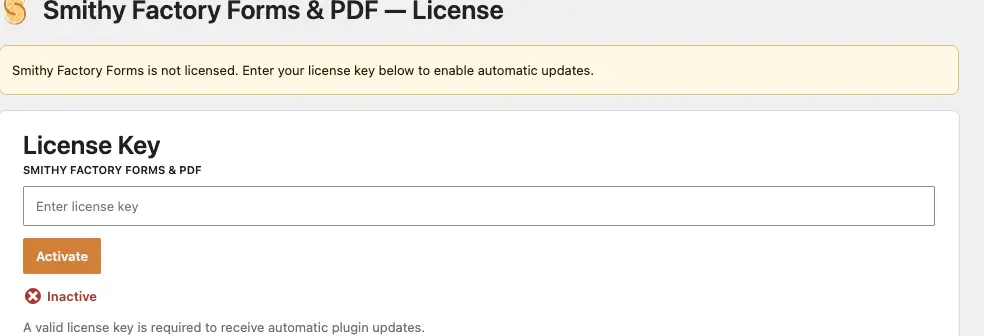
Forms & PDF has its own License screen, separate from Smithy Factory Core’s. A license key isn’t required for the plugin to function — every feature above works on an unlicensed install — it only gates automatic updates. Paste your key in from your smithyfactory.co.uk account and click Activate.
Common questions
I turned on “Enable mPDF functionality” but PDF Content isn’t doing anything yet — is that broken?
No — see the separate PDF Settings & Content doc. mPDF needs its core fonts downloaded (a one-time ~5MB download) before it can render anything; until then the PDF Content screen will prompt you for that first.