Everything in Connect works through fields, created on the Dynamic Data screen. Every field needs a Label (its Slug auto-generates from this, or set your own) and a Source Type — the rest of the form changes depending on which source you pick. Give fields a meaningful label or slug, since that’s what you’ll see everywhere the field is used.
Categories
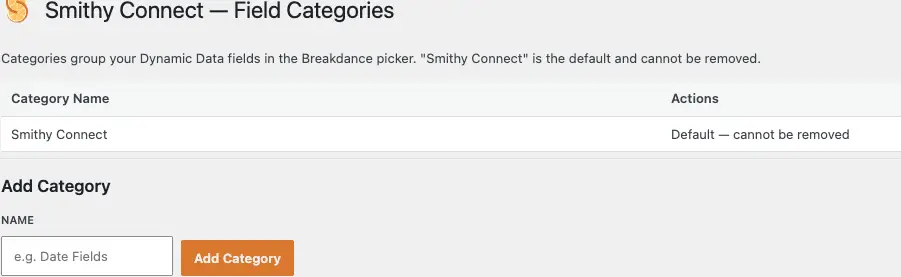
Use the Field Categories screen to add or remove categories — they’re deliberately simple, just a name. “Smithy Connect” is the default and can’t be removed. Add a few more if it helps, but keep the list short: categories group your fields in Breakdance’s Dynamic Data picker, and that dialogue can get crowded fast, so two or three purposeful categories work better than one per field. Delete a category and any fields in it revert to “Smithy Connect” rather than disappearing.
Source types
There are six source types. The first three are the WordPress basics: Post Meta fetches from the post meta table, User Meta from user meta, and WP Option from the options table. Breakdance already surfaces most native post and user data on its own — Connect’s job is to get the rest, or create it. If the meta key or option you point a field at doesn’t exist yet, the first time you write to it (through a form, say) it gets created. That makes Connect a lightweight custom-field tool as well as a data fetcher, not just a read-only bridge.
Custom Table
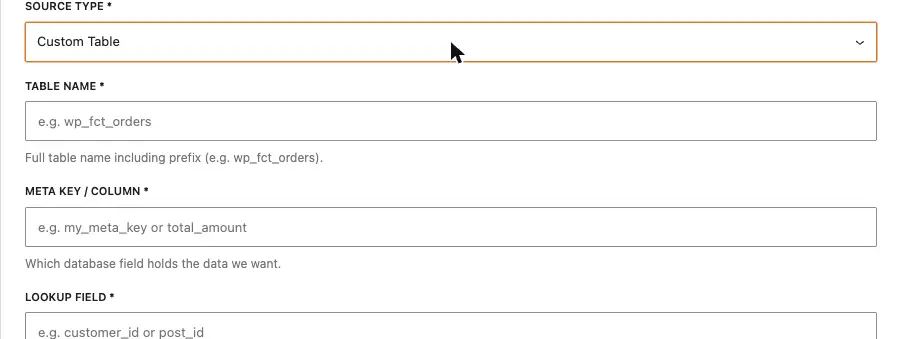
Custom Table connects to a table any other plugin manages — many plugins create their own table rather than using WordPress’s meta tables. Selecting it adds Table Name (the full table name including the wp_ prefix), Meta Key/Column (which column holds the value you want), Lookup Field (the column in that table used to find the right row), and a Lookup Source, same as the other types.
SC Native — User / Global
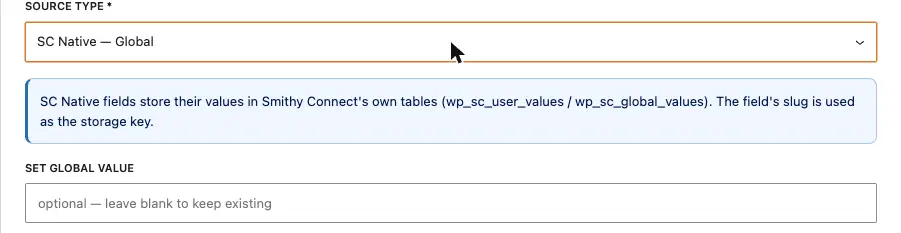
SC Native — User and SC Native — Global are part of Connect itself. Two dedicated tables (wp_sc_user_values and wp_sc_global_values) let you set your own values without touching WordPress’s meta or options tables — useful for anything “unique to the user” in a membership build (renewal dates, profile settings), or site-wide settings you’d otherwise dump into wp_options. Keeping this data in its own tables means less bloat, and an easy clean-up if you ever uninstall.