FluentCart includes a very good product loop block, with filters and grid/list layout. However, it does not work with Global Blocks. Smithy Fluent includes a Simple Product Filter, which enables you to build product loops using the Breakdance Post List element and Global Blocks. Now you can design your loop exactly as you want it.
Connecting the Filter
Our example is a column layout, but you can design the filter to be horizontal or vertical. To connect your filter to a particular post list, add both to the page. The filter will automatically attach to the first loop item, but if you have more than one loop, you can deliberately target which loop the filter controls.
A very useful option in builder preferences is to show the ID of each element on the page.

Once you’ve set this you will see the ID in the structure panel.
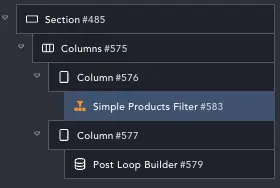
Our Loop ID is 579. So we set this in our filter:

You can also inspect your page, find the HTML ID and use that if you prefer.
Adding Filter Types
You can filter on almost anything. Simple Filter allows you to add any type of filter in Filters and Ranges.

Filters: Choose a label, how to display options and what the filter should act on (like Category or Brand).
Ranges: Choose Price or a custom meta and max/min fields will be added to the filter.

Grid and List View
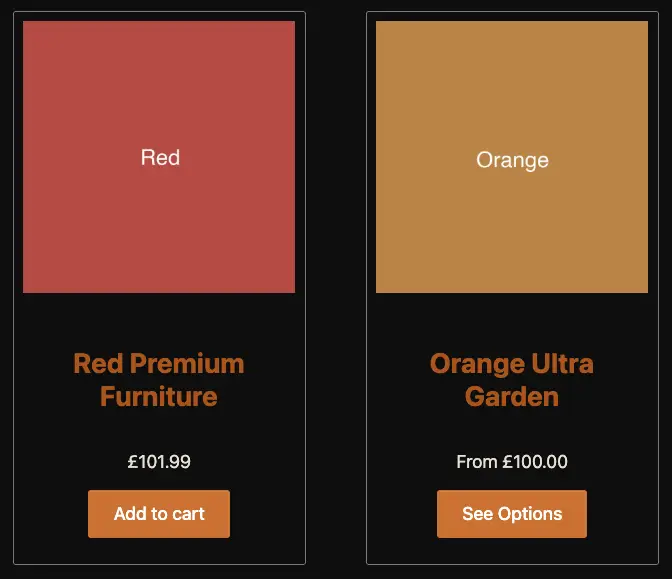
The filter has a view switcher and you can set-up your global block to use this so it works in grid or list mode. Our example global block is quite simple. It has a vertical card for grid and a horizontal layout for list.
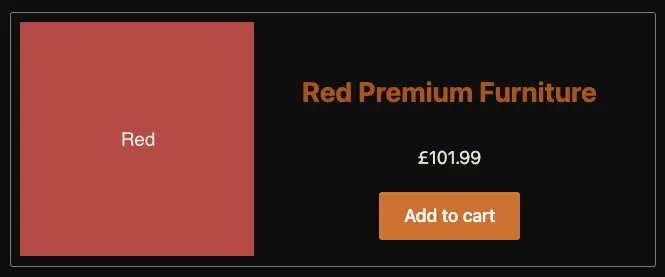
To make these layouts respond to the switcher, we add a little CSS. The ‘grid’ or vertical layout should be considered the default. It is how the block displays when we have no classes set. When we toggle the view, it adds/removes classes to the Post List container.
To make our blocks respond we use this CSS.
“.ee-posts-list’ is the class added in list mode, and “.ee-posts-grid” is the class in grid mode.
So we can write…
.ee-posts-list .%%UNIQUESLUG%% {
  flex-direction: row;
  width: 100%;
  position: relative;
}
.ee-posts-list .%%UNIQUESLUG%% .sf-fluent-product-image {
  height: 100%; aspect-ratio: 1/1;
}
.ee-posts-list .%%UNIQUESLUG%% .fct-product-card-element {
  margin-top: 6px;
}
We have classes like “.sf-fluent-product-image” because the global block uses Smithy Fluent elements like Product Image and Product Price.
Make Your Elements Match!
If you choose List View in the Post Loop, then choose List View in the Filter or the switcher will not toggle the classes properly.
Pagination
The Post Loop pagination works as is for Numbers and Load More, it will not work for Infinite Loading – because we can’t load ‘everything’ and ‘only these filtered things’.